
Role of Video in Team Updates: Boosting Clarity and Connection
Explore the role of video in team updates, async communication benefits, use cases for remote teams, and pitfalls to avoid when replacing meetings.
Kunal
Author
Role of Video in Team Updates: Boosting Clarity and Connection

Over 60 percent of American companies now rely on video to connect their teams across different cities and time zones. As the workplace shifts to a more digital and remote environment, communicating through video is no longer just a trend for American businesses, it is a crucial necessity. By exploring how video enhances teamwork, captures subtle communication cues, and streamlines daily updates, you will discover fresh ways to foster stronger collaboration in any organization.
Table of Contents
Key Takeaways
| Point | Details |
|---|---|
| Impact of Video Communication | Video enhances team interactions by providing emotional context and nonverbal cues, essential for building connections in remote settings. |
| Flexibility of Asynchronous Updates | Async video allows team members to engage and respond at their own pace, improving communication efficiency without the constraints of scheduling. |
| Engagement in Team Updates | Video transforms various update types, such as project statuses and onboarding, into more engaging and informative formats. |
| Best Practices for Effective Usage | Maintaining brevity, clarity, and high-quality production enhances comprehension and engagement in asynchronous video communications. |
Defining Video's Role in Team Communication
- Defining Video's Role in Team Communication
- Types of Team Updates Enhanced by Video
- Key Benefits of Async Video for Teams
- Boom App Features for Efficient Updates
- Common Pitfalls and Best Practices
Video communication has transformed how modern teams interact, bridging geographical gaps and creating more dynamic, engaging interactions. Traditional text-based updates often fall short in conveying nuanced information, tone, and personal connection. Asynchronous video updates solve this communication challenge by providing a rich, context-driven medium that goes beyond simple written messages.
The core strength of video lies in its ability to capture nonverbal communication signals that text cannot convey. When team members record video updates, they share not just information, but emotional context, body language, and individual personality. This approach helps remote and distributed teams feel more connected, reducing the sense of isolation that often accompanies digital work environments. Async video communication strategies demonstrate how teams can maintain personal connections without scheduling complex meetings.
Effective video communication in team settings involves more than just recording a message. Successful implementations require thoughtful approaches that respect team members' time and communication preferences. Key elements include keeping videos concise, focusing on clear objectives, and using visual aids or screen sharing to enhance understanding. By transforming traditional updates into engaging video narratives, teams can achieve higher engagement, better comprehension, and a more human-centered communication approach that transcends geographical and temporal boundaries.
Types of Team Updates Enhanced by Video
Modern teams leverage video communication across multiple update formats to streamline information sharing and enhance collaborative processes. Video content strategies reveal how different update types can be dramatically transformed through visual communication. From project status reports to onboarding presentations, video provides a dynamic medium that transcends traditional text-based approaches, allowing teams to convey nuanced information more effectively.
Several critical team update types particularly benefit from video communication. Project status updates become more engaging when team leaders can visually demonstrate progress, challenges, and milestones. Technical teams can use screen sharing to walk through complex developments, while product managers can provide real-time demonstrations of new features. Global team communication strategies highlight how video feedback loops enable distributed teams to maintain clarity and connection across different time zones and cultural contexts.
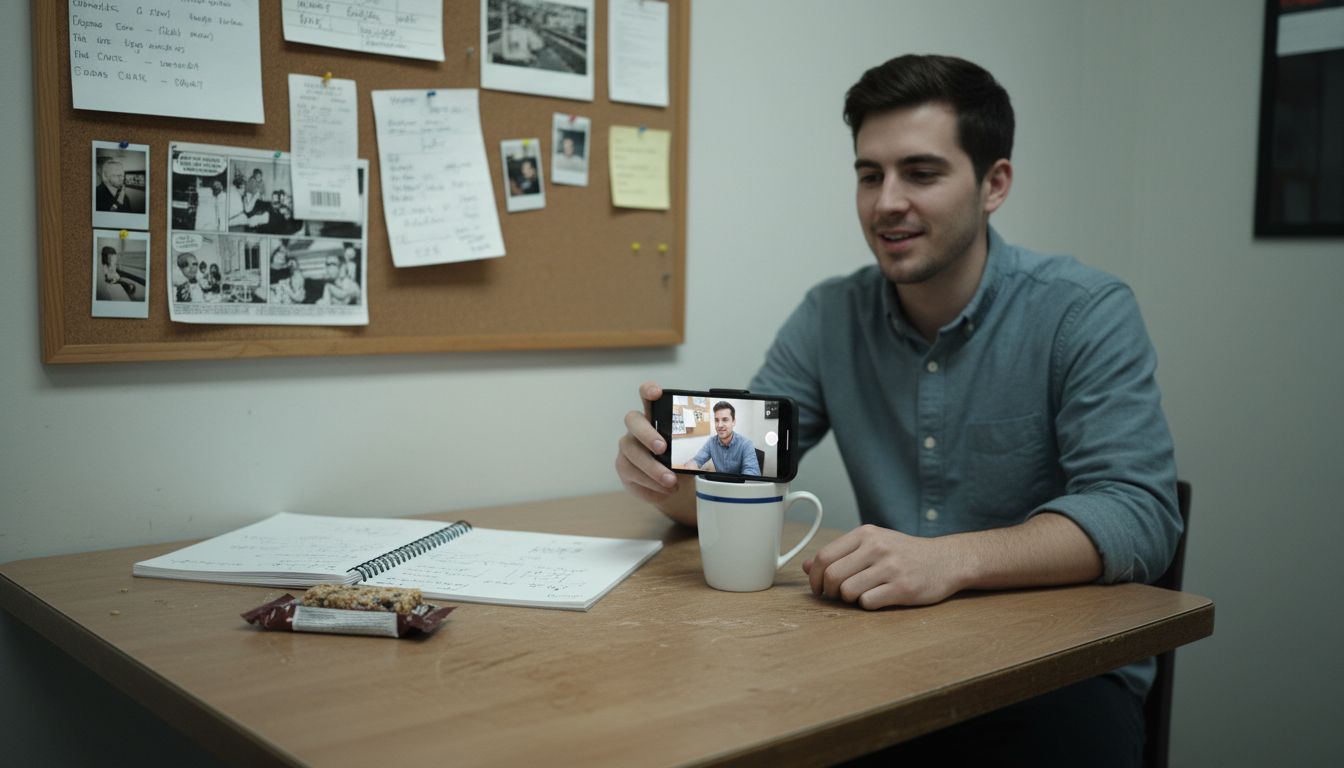
Beyond formal project updates, video excels in informal team communications as well. Onboarding presentations, training modules, team introductions, and quarterly retrospectives can all be dramatically enhanced through video. By capturing tone, body language, and personal energy, video updates help build team cohesion and reduce misunderstandings that often arise in text-based communication. The ability to record, review, and share updates asynchronously means team members can consume information at their own pace, leading to more thoughtful and comprehensive understanding of complex organizational messages.
Key Benefits of Async Video for Teams
Asynchronous video communication offers transformative advantages for modern teams seeking more flexible and efficient collaboration methods. Comprehensive async video strategies reveal how teams can dramatically improve their communication workflows by embracing this innovative approach. Flexibility emerges as the primary benefit, allowing team members to consume and respond to information on their own schedule, breaking free from the constraints of synchronous meeting formats.
Peer-to-peer learning becomes significantly enhanced through async video platforms. Social learning dynamics demonstrate how team members can share knowledge, insights, and expertise without requiring simultaneous presence. This approach accommodates diverse learning styles and time zones, enabling more inclusive and comprehensive knowledge transfer across global teams. Technical teams, creative departments, and distributed workforces can particularly benefit from this approach, as it allows for nuanced, detailed communication without the pressure of real-time interaction.
The asynchronous video format also provides unparalleled advantages in documentation, knowledge retention, and team transparency. Team members can create detailed video updates that can be reviewed, rewatched, and referenced multiple times, ensuring that critical information is not lost in the ephemeral nature of live meetings. Screen recordings, walkthroughs, and comprehensive updates can be archived and shared, creating a living knowledge base that supports continuous learning and organizational memory. By eliminating scheduling conflicts and reducing communication friction, async video transforms how teams collaborate, communicate, and grow together.
Boom App Features for Efficient Updates
Boom App revolutionizes team communication through a suite of intelligent features designed to streamline video updates and collaboration. Async-first design stands at the core of the platform, enabling teams to communicate without the constraints of synchronized schedules. Video feedback integration demonstrates how advanced tools can transform communication workflows, making information sharing more flexible and accessible across diverse team environments.
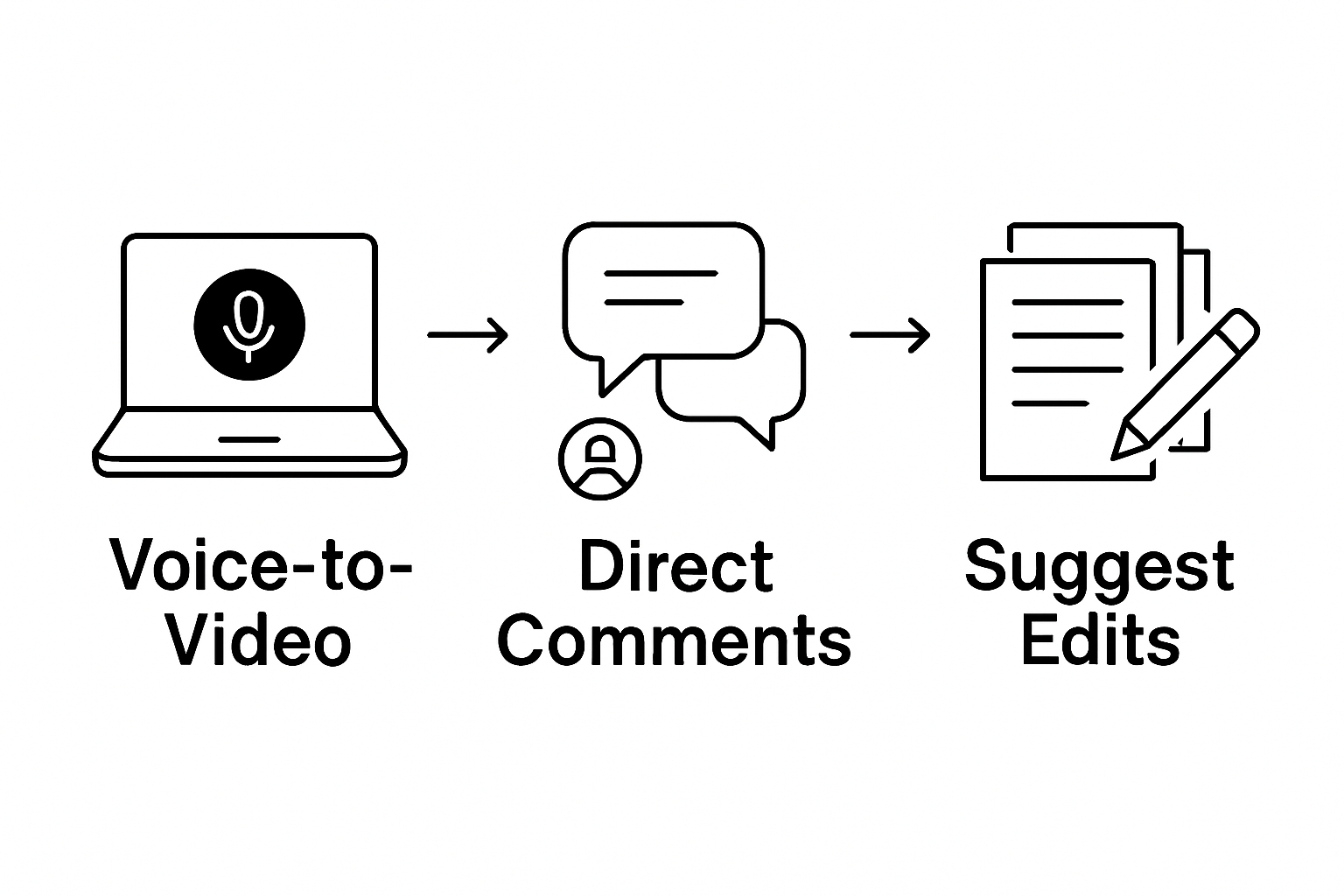
Key features distinguish Boom App from traditional communication platforms. The voice-to-video recording functionality automatically transforms raw voice messages into polished, structured videos with precise timing and visual enhancements. AI-powered auto-scripting helps users generate concise, goal-oriented scripts instantly, eliminating communication hesitation. Additionally, the multilingual dubbing feature allows teams to localize messages effortlessly, breaking down language barriers and supporting global collaboration.
The platform's collaboration tools further amplify team efficiency. Users can comment directly on videos, suggest edits, and ask questions within the async flow, creating a seamless feedback ecosystem. Tech stack optimization reveals how integrated video tools can dramatically improve communication strategies. Brand-ready templates and instant visual branding ensure that every video maintains professional consistency, while the free-forever model democratizes access to advanced communication technologies for teams of all sizes.
Common Pitfalls and Best Practices
Asynchronous video communication presents unique challenges that teams must navigate strategically to maximize effectiveness. Communication delay impacts reveal significant cognitive obstacles that can emerge when teams rely on video updates, particularly in distributed work environments. Cognitive overload represents a primary concern, where complex or lengthy videos can overwhelm team members, reducing comprehension and engagement.
To mitigate these challenges, several best practices emerge as critical for successful async video communication. Brevity and clarity become paramount, with teams encouraged to create concise, focused video updates that communicate essential information without unnecessary complexity. Virtual team communication strategies suggest implementing structured communication protocols that help team members maintain consistency and professionalism across video updates. This includes establishing clear guidelines for video length, content structure, and presentation style.
Additional best practices involve technical and interpersonal considerations. Teams should invest time in creating high-quality audio and video environments, ensuring clear sound, appropriate lighting, and professional backgrounds. Developing a culture of thoughtful, intentional communication helps prevent misunderstandings that can arise from asynchronous interactions. Encouraging active listening, providing timely responses, and maintaining a supportive tone can transform potential communication barriers into opportunities for deeper understanding and collaboration.
Elevate Your Team Updates with Async Video Solutions
The article highlights the struggle teams face in conveying clear, engaging, and personal updates when relying on traditional communication methods. Challenges like scheduling conflicts, lack of emotional context, and cognitive overload can stall effective collaboration. Async video updates unlock the power of visual and vocal nuances to boost clarity and connection, making it easier for teams to stay aligned across time zones and workloads.
Boom App is designed to solve these very challenges by turning complex or lengthy updates into concise, engaging videos with AI-powered tools like auto-scripting, voice-to-video recording, and multilingual dubbing. Its async-first design eliminates scheduling stress and supports seamless collaboration, letting teams comment and give feedback without meetings. Discover how Boom App can help your team earn back time and communicate more effectively with video that transcends simple text updates. Learn more about how async video transforms communication in our blog on async video communication benefits and see how to optimize your team’s video content strategy today.
Ready to upgrade your team updates? Visit Boom App now and start creating clear, connected, and time-saving videos that bring your team closer—without a single meeting.
Frequently Asked Questions
What are the benefits of using video for team updates?
Using video for team updates enhances engagement, improves clarity, and conveys emotional context better than text alone. It helps build connections among remote team members by providing visual and nonverbal cues that enrich communication.
How can asynchronous video updates improve team collaboration?
Asynchronous video updates allow team members to share and consume information on their own schedule, accommodating different time zones and preferences. This flexibility helps maintain continuous communication without the need for simultaneous meetings.
What are best practices for creating effective video updates?
Best practices for effective video updates include keeping videos concise, focusing on clear objectives, utilizing visual aids, ensuring high-quality audio and video, and creating a structured format to maintain professionalism and clarity.
What types of team updates can be enhanced by video communication?
Various team updates can be enhanced by video communication, including project status reports, onboarding presentations, training modules, and informal team communications. Video provides a richer medium for conveying complex information and fostering team cohesion.
Recommended
About the Author
Kunal
Software Engineer.