
How to Script Video Messages for Impactful Communication
Learn how to script video messages with a step-by-step approach to craft, refine, and deliver effective asynchronous videos for any audience or occasion.
Kunal
Author
How to Script Video Messages for Impactful Communication

Clear goals shape every successful video message. Businesses that set specific communication objectives see up to 70 percent higher engagement rates compared to those that do not. Defining what you want your video to achieve helps you connect with viewers and deliver a message that inspires real action. By focusing on purpose from the start, you set yourself up to create content that resonates and produces measurable results.
Table of Contents
Quick Summary
| Key Point | Explanation |
|---|---|
| 1. Define SMART video goals | Establish specific, measurable, achievable, relevant, and time-bound objectives for your video messages. |
| 2. Identify key message points | Organize 3 to 5 main ideas that directly support your communication goal for better clarity. |
| 3. Create a concise script | Draft a script of 160 to 350 words that delivers your message in a natural, engaging tone. |
| 4. Utilize AI for refinement | Use AI tools to analyze and improve your script’s clarity and effectiveness, ensuring optimal communication. |
| 5. Practice before recording | Conduct multiple practice runs to refine your delivery and enhance your connection with the audience. |
Step 1: Define Your Video Message Goals
- Step 1: Define Your Video Message Goals
- Step 2: Gather Key Points To Include
- Step 3: Draft A Clear And Concise Script
- Step 4: Leverage AI Tools For Script Refinement
- Step 5: Review And Polish Your Video Message
Defining clear communication objectives is fundamental to creating impactful video messages that resonate with your audience. According to Indeed, effective communication goals help workplaces share key information more efficiently and enable individuals to express themselves productively.
To establish meaningful video message goals, focus on creating SMART objectives that are specific, measurable, achievable, relevant, and time bound. Start by asking yourself critical questions: What precise outcome do you want to achieve? Who is your target audience? What key message or emotion do you want to communicate? For instance, if you are creating a product demo video, your goal might be to increase viewer understanding by 50% within the next 30 days.
A helpful strategy is to draft your goal using a clear framework. Begin with an action verb like "explain," "demonstrate," or "persuade," followed by a specific target and measurable result. This approach transforms vague intentions into concrete communication targets. JoVE emphasizes that communication objectives serve as the strategic backbone for promotional activities, ensuring each video serves a specific purpose.
Before moving forward, write down your primary video message goal and validate it against the SMART criteria. This preparation sets the foundation for a focused and effective video communication strategy.
Ready to craft your script? The next step involves translating these goals into a compelling narrative structure.
Step 2: Gather Key Points to Include
Now that you have established clear goals for your video message, the next critical step is identifying and organizing the key points you want to communicate. Public Health Columbia emphasizes that the best video messages are carefully planned, with a smooth pace and clear learning objectives for viewers.
To gather your key points effectively, start by creating a brainstorming session. List out all the essential information related to your video message goal. Consider the core message you want to convey and break it down into 3 to 5 main ideas. Each point should directly support your primary objective and offer value to your audience. Think about what information will help viewers understand, feel, or do something specific after watching your video.
One powerful technique for refining your points is to use open-ended questions. According to Growett, asking open-ended questions sparks deeper engagement by encouraging more thoughtful responses. For each key point, ask yourself questions like: What context do viewers need? What might they not know? What evidence or example can illustrate this point most effectively?
Once you have your initial list of points, prioritize them based on importance and relevance to your communication goal. Eliminate any ideas that feel tangential or do not directly support your core message.

Ready to transform these points into a compelling script? Your next step will be crafting a narrative structure that brings these ideas to life.
Step 3: Draft a Clear and Concise Script
With your key points identified, it is time to transform them into a compelling video script that captures and maintains viewer attention. Public Health Columbia recommends keeping videos concise due to short audience attention spans, suggesting scripts between 160 to 350 words and lasting just 1 to 3 minutes.
Start by crafting a strong opening that immediately hooks your audience. Your first few sentences should clearly communicate the core message and why it matters to viewers. According to Learning Partnership, your message must be conveyed in one or two sentences using clear and memorable language. Focus on limiting your script to a few main points to avoid overwhelming or confusing your audience.
As you draft your script, write in a conversational tone that sounds natural when spoken. Read your script aloud to ensure it flows smoothly and sounds like authentic human communication. Organize your key points in a logical sequence that builds understanding progressively. Each section should connect seamlessly, creating a narrative arc that guides viewers from introduction to conclusion.
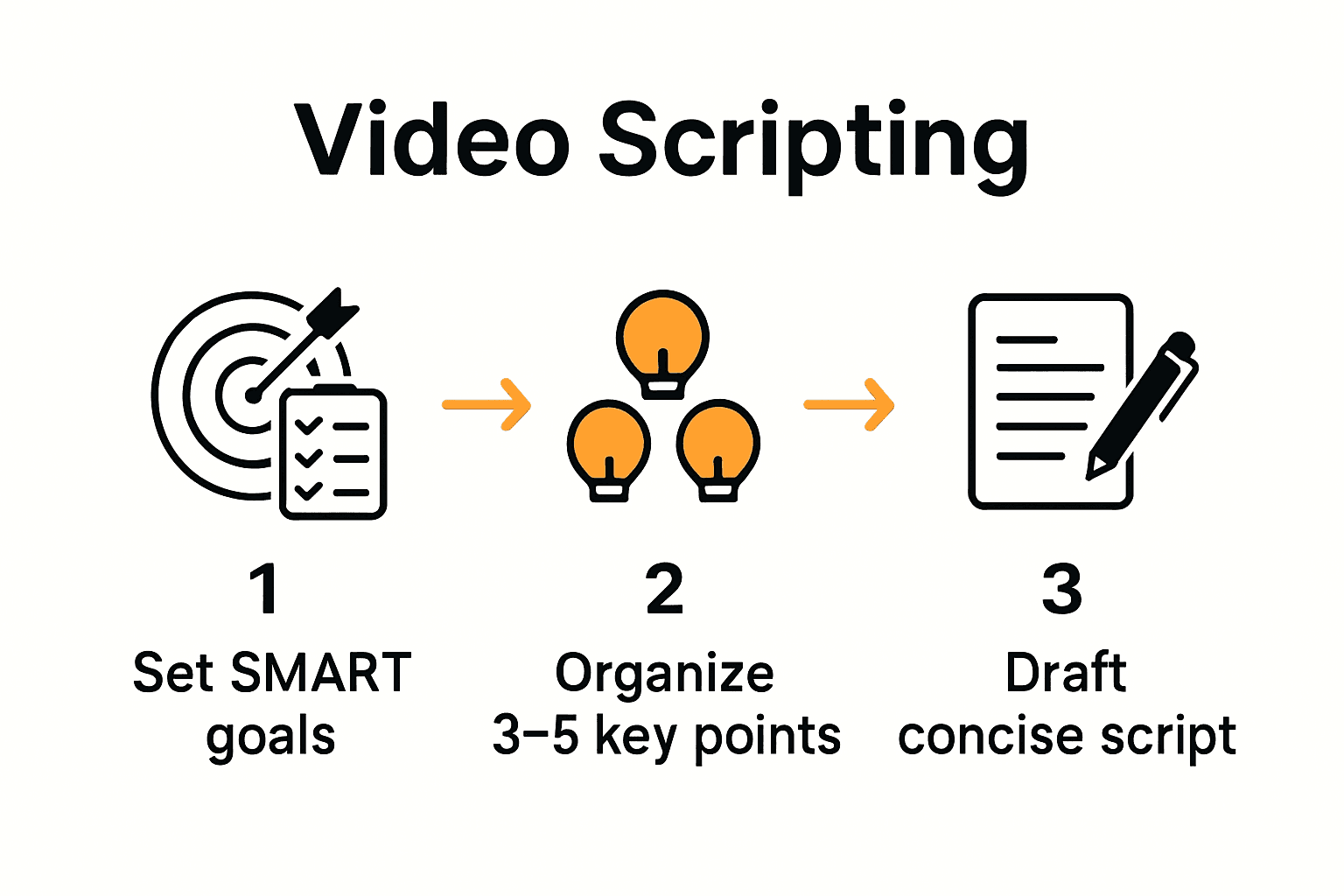
A helpful strategy is to create a script outline first.
 Write your core message at the top, then list your 3 to 5 key points underneath. This structure helps you maintain focus and ensures every word serves your communication goal.
Ready to refine your script? The next step involves reviewing and tightening your draft to maximize impact.
Step 4: Leverage AI Tools for Script Refinement
With your initial script draft complete, AI tools can help elevate your video messaging to the next level. Vaia emphasizes that clearly defined goals are crucial for creating content that aligns with audience interests and evokes the right emotional response.
AI script refinement tools can analyze your draft for clarity, tone, and engagement potential. Look for platforms that offer features like language optimization, emotional sentiment tracking, and conversational flow assessment. ArXiv highlights emerging AI technologies that can model the nuanced connections between verbal and non-verbal communication, providing insights into how your script might be perceived.
When using AI refinement tools, approach them as collaborative partners rather than replacement writers. Input your original script and review the suggestions critically. Pay attention to recommendations about sentence structure, word choice, and overall narrative flow. Some advanced AI tools can even provide suggestions for non verbal communication cues that might enhance your message.
A strategic approach is to run your script through multiple AI analysis tools, comparing their suggestions. This helps you gather diverse perspectives and identify consistent areas for improvement. Remember that AI is a tool to enhance your creative process not replace your unique voice and communication style.
Ready to bring your refined script to life? The next step involves preparing for your video recording.
Step 5: Review and Polish Your Video Message
With your refined script in hand, the final step is to transform your written words into a polished video message that resonates with your audience. Public Health Columbia recommends preparing your remarks carefully and conducting test recordings to ensure your message hits the right note.
Begin by doing multiple practice runs of your script. Read it aloud to check for natural flow and timing. Pay attention to your tone, pace, and emotional emphasis. According to Learning Partnership, your message should be conveyed in clear and memorable language, focusing on a few key points to avoid confusing your viewers.
When reviewing your draft, focus on making the message viewer-centric. While it is important to bring your personal touch, the bulk of the content should connect directly with your audience. Ask yourself critical questions: Does this script solve a problem for my viewers? Will they find immediate value in what I am sharing? Trim any sections that do not directly serve your communication goals.
A practical tip is to record yourself and watch the playback critically. Notice your facial expressions, body language, and vocal variations. Listen for areas where you might sound too rehearsed or where your natural enthusiasm could shine through more brightly. The goal is to sound authentic while maintaining professional clarity.
Ready to record? Your meticulously crafted script is now prepared to make a meaningful impact.
Master Your Video Messaging with AI-Powered Ease
Crafting clear, concise, and engaging video scripts can be challenging. This article highlights the critical steps to define goals, organize key points, and draft compelling narratives that truly connect. If you find yourself struggling to turn ideas into polished videos while keeping your message impactful and on point, you are not alone. The need for smart scripting, time-saving solutions, and viewer-focused communication is more urgent than ever.
Boom is the perfect tool to help you bring those well-planned scripts to life efficiently. With features like auto-scripting, voice-to-video recording, and professional AI voiceover, Boom helps you create stunning videos that stick with your audience. Say goodbye to endless meetings and complicated editing. Boom saves you hours by delivering brand-ready async videos designed to align perfectly with your communication goals.
Ready to elevate your video communication and earn back your most precious resource time Start mastering your video messages today with Boom at https://boomshare.ai and see how effortless crafting powerful video messages can be. Explore how Boom’s AI scripting and async-first design sets you free from meeting overload. Let every video you create be a step closer to clearer connections and time saved.
Frequently Asked Questions
How can I define clear video message goals?
To define clear video message goals, use the SMART criteria: specific, measurable, achievable, relevant, and time-bound. Start by asking questions like, "What outcome do I want to achieve?" and refine your goal into an action-oriented statement.
What are the key points I should include in my video script?
Include 3 to 5 main points that directly support your primary objective. Organize these points logically, ensuring each one adds value and helps communicate your core message.
How should I structure my video script for maximum impact?
Structure your video script by starting with a strong opening, conveying your core message within the first few sentences, and then logically following with your key points. This creates a narrative arc that guides viewers from introduction to conclusion seamlessly.
What methods can I use to refine my video script?
Utilize AI tools that analyze clarity, tone, and engagement potential for your initial script draft. Input your script into these tools, review their suggestions, and make adjustments based on feedback to enhance clarity and emotional connection.
How can I prepare for recording my video message?
Conduct multiple practice runs of your script to ensure smooth delivery and timing. Record yourself and watch the playback to assess body language and vocal variations, aiming for an authentic yet professional presentation.
What common mistakes should I avoid when scripting video messages?
Avoid overwhelming viewers with too much information or going off-topic. Stay focused on your communication goals and ensure that every section of your script serves a clear purpose related to your core message.
Recommended
About the Author
Kunal
Software Engineer.