
7 Practical Generative AI Examples for Modern Workflows
Discover 7 generative AI example workflows that students, freelancers, and teams can use now. Learn real tips to boost productivity and creativity today.
Daniel M
Author
7 Practical Generative AI Examples for Modern Workflows

Over 70 percent of american companies now use AI tools to speed up video production and team collaboration. The push for faster content creation and better communication has never been greater, especially as remote work expands. With technology advancing at a rapid pace, professionals are discovering AI driven methods to craft scripts, edit videos, and connect with audiences worldwide. This guide breaks down practical ways american teams can leverage AI to save time, boost quality, and streamline every step in their video workflow.
Table of Contents
Quick Summary
| Key Insight | Explanation |
|---|---|
| 1. Automate Video Script Creation | Use auto-scripting technology to quickly generate professional video scripts tailored to your objectives and audience. |
| 2. Transform Voice Notes into Videos | Record voice notes and apply AI tools to create polished, engaging video presentations without extensive editing. |
| 3. Effortlessly Generate Multilingual Voiceovers | Leverage AI to create professional voiceovers in multiple languages, reaching diverse audiences efficiently. |
| 4. Create Custom Video Templates with AI | Use AI to generate tailored video templates aligning with your brand and aesthetic, streamlining the design process. |
| 5. Streamline Feedback with AI Comments | Implement AI-powered commenting systems for precise feedback on projects, enhancing collaborative workflows. |
1. Auto-Scripting for Fast, Professional Videos
- 1. Auto-Scripting For Fast, Professional Videos
- 2. Transforming Voice Notes Into Polished Video Presentations
- 3. Generating Multilingual Voiceovers Effortlessly
- 4. Creating Custom Video Templates With AI Design
- 5. Collaborating Asynchronously Using AI Tools
- 6. Streamlining Feedback With AI-Powered Comments
- 7. Reducing Meeting Time With AI-Generated Reports
Imagine crafting a perfect video script in minutes without hours of writing and editing. Auto-scripting technology transforms how professionals create compelling video content by leveraging artificial intelligence to generate precise, engaging scripts automatically.
With AI-powered auto-scripting, you can generate professional scripts tailored to specific goals such as product demos, training videos, marketing presentations, and sales pitches. Digital Marketing Association research reveals that AI can significantly streamline video production workflows, helping creators write engaging scripts and storyboard content efficiently.
The process works by inputting key parameters like video purpose, target audience, desired tone, and core message. Advanced AI algorithms then analyze these inputs and generate a structured script with natural language flow. As TechDecoded highlights, tools like Descript enable text-based video editing, allowing creators to modify media by changing the transcript directly.
Practical implementation involves several strategic steps:
- Define your video objective clearly
- Input specific parameters and guidelines
- Review and refine the AI generated script
- Customize language and tone to match your brand
- Use the script as a solid foundation for your video production
By embracing auto-scripting, professionals can save significant time while maintaining high quality content creation. Your videos become more consistent, professional, and aligned with your communication goals.
2. Transforming Voice Notes into Polished Video Presentations
Improving your communication workflow means turning raw voice recordings into professional video presentations with minimal effort. Generative AI technology now enables you to transform casual voice notes into polished, engaging visual content that captures your message perfectly.
The process leverages advanced AI algorithms that analyze your audio input and automatically generate corresponding visual elements, animations, and text overlays. As University of Hull research suggests, strategic use of animations and speaker notes can significantly enhance the final video output.
Generative AI tools work by breaking down your voice recording into key themes, creating appropriate visual representations, and synchronizing text with your spoken words. This means you can record a quick voice memo and quickly transform it into a professional presentation without extensive editing skills.
Practical implementation involves several key steps:
- Record a clear voice note with your core message
- Select an AI video transformation tool
- Review and customize the automatically generated visuals
- Add branding elements or additional graphics
- Export and share your professional video presentation
By embracing this technology, professionals can create high quality video content faster than traditional editing methods, turning spontaneous thoughts into compelling visual narratives.
3. Generating Multilingual Voiceovers Effortlessly
Breaking language barriers has never been easier with generative AI technologies that transform video content into multiple languages instantly. Modern AI tools can now generate professional voiceovers in numerous languages, allowing creators to reach global audiences without expensive translation services.
The technology works by analyzing your original audio and recreating the narration with natural language processing algorithms that capture nuanced speech patterns and emotional context. As University of Alabama at Birmingham research highlights, automatic language generation requires careful editing to ensure accuracy and maintain the original message's integrity.
Multilingual voiceover generation goes beyond simple translation. Advanced AI models can adapt tone, cultural references, and speaking style to make the content feel native to each target language. University of Chicago's Academic Technology Solutions emphasizes the importance of creating accessible content that resonates across different linguistic communities.
Practical implementation involves several strategic steps:
- Select a robust AI voiceover generation platform
- Upload your original video or audio content
- Choose target languages for translation
- Review and fine tune the generated voiceovers
- Validate cultural appropriateness and technical accuracy
By leveraging these AI technologies, professionals can expand their global reach, create more inclusive content, and communicate effectively across diverse linguistic landscapes.
4. Creating Custom Video Templates with AI Design
AI technology has revolutionized video design by enabling creators to generate stunning, professional templates with minimal manual effort. Custom video templates can now be generated automatically by analyzing your brand guidelines, color schemes, and preferred aesthetic.
As Digital Marketing Association research highlights, AI tools are transforming how professionals approach video production by offering sophisticated scripting and storyboarding capabilities. These advanced systems can analyze your existing brand materials and generate templates that maintain consistent visual identity across different content types.
The AI design process involves sophisticated machine learning algorithms that understand design principles, color theory, and visual composition. TechDecoded notes that modern AI video tools like Descript now offer features such as automatic green screen and multi-camera synchronization, making template creation incredibly streamlined.
Practical implementation involves several key steps:
- Upload your brand style guide and existing design assets
- Select the type of video template you need
- Allow AI to generate initial template designs
- Review and refine the automatically created templates
- Customize and adjust visual elements as needed
By leveraging AI design technologies, businesses and creators can develop professional video templates faster, maintain brand consistency, and reduce design production time significantly.
5. Collaborating Asynchronously Using AI Tools
Asynchronous collaboration has transformed how modern teams communicate and produce content without the constraints of real time meetings. AI powered tools now enable seamless remote teamwork by allowing members to contribute, review, and edit projects independently across different time zones.
TechDecoded highlights how advanced AI platforms like Descript support collaborative features that enable teams to edit and produce videos by sharing and modifying transcripts in real time. These innovative tools eliminate traditional communication barriers and create more flexible working environments.
The technology works by creating centralized platforms where team members can provide feedback, suggest edits, and collaborate without requiring simultaneous presence. As Digital Marketing Association research demonstrates, AI powered video production systems now allow teams to script and produce content through scalable asynchronous workflows.
Practical implementation involves several strategic steps:
- Select an AI collaborative platform with robust sharing features
- Establish clear communication guidelines for async work
- Use AI tools that support real time transcript and video editing
- Set expectations for response times and feedback cycles
- Leverage AI generated summaries and action items
By embracing these AI collaboration technologies, teams can work more efficiently, reduce scheduling conflicts, and maintain high productivity across global work environments.
6. Streamlining Feedback with AI-Powered Comments
AI technology has revolutionized collaborative workflows by introducing intelligent comment systems that understand context, tone, and intent far beyond traditional feedback mechanisms. These advanced tools transform how teams communicate and refine content across various digital platforms.
TechDecoded highlights how AI tools like Descript now offer sophisticated collaborative features that enable teams to provide nuanced feedback through intelligent comment systems. These AI powered comments can analyze the underlying meaning of suggestions, making communication more precise and actionable.
The technology works by using natural language processing algorithms that interpret feedback comments, categorize their importance, and even suggest potential resolutions. As Digital Marketing Association research demonstrates, AI driven feedback tools are transforming collaborative workflows by providing contextual understanding and intelligent recommendations.
Practical implementation involves several strategic steps:
- Select an AI collaborative platform with advanced commenting features
- Train your team on using AI powered feedback tools
- Encourage clear and specific comment inputs
- Use AI suggestions to refine and improve content
- Regularly review and optimize feedback processes
By leveraging these AI comment technologies, teams can communicate more effectively, reduce misunderstandings, and accelerate project development cycles with unprecedented efficiency.
7. Reducing Meeting Time with AI-Generated Reports
Improving workplace productivity means transforming how teams capture and process meeting information through intelligent reporting technologies. AI powered report generation can distill hours of discussion into concise actionable summaries within minutes.
University of Alabama at Birmingham research demonstrates how automatic transcription and summarization technologies can dramatically reduce meeting overhead by generating precise documentation instantly. These advanced systems understand context, extract key insights, and create structured reports that capture essential information.
The technology leverages natural language processing algorithms to analyze spoken content, identifying key themes, decisions, and action items with remarkable accuracy. As University of Chicago's Academic Technology Solutions emphasizes, AI transcription helps teams create comprehensive meeting summaries that enhance communication and accountability.
Practical implementation involves several strategic steps:
- Select an AI powered meeting recording platform
- Enable automatic transcription and summarization features
- Review and validate AI generated reports
- Distribute summaries to team members quickly
- Use insights to drive actionable follow up tasks
By embracing AI generated reporting, organizations can reclaim valuable time, improve information retention, and create more efficient communication workflows.
Below is a comprehensive table summarizing the strategies and concepts discussed throughout the article on AI technologies enhancing video production and communication workflows.
| **Topic** | **Description** | **Benefits/Outcomes** |
|---|---|---|
| Auto-Scripting for Videos | Utilizes AI for generating video scripts quickly by inputting parameters such as purpose, audience, and tone. | Saves time and ensures professional, goal-focused content creation. |
| Voice Notes to Video Presentations | Transforms voice recordings into professional visuals using AI to sync themes and animations with speech. | Streamlines production process, ideal for fast-paced environments. |
| Multilingual Voiceovers | AI generates voiceovers in various languages, maintaining original emotion and context. | Expands global reach and inclusivity without heavy translation costs. |
| Custom Video Templates | AI creates templates based on brand guidelines and aesthetics. | Maintains brand consistency and speeds up design processes. |
| Asynchronous Collaboration | AI platforms enable independent contribution and editing across time zones. | Enhances team efficiency and flexibility, reducing scheduling conflicts. |
| AI-Powered Comments | Intelligent comment systems analyze feedback context and intent. | Improves communication accuracy and accelerates content refinement. |
| AI-Generated Reports | Converts meeting discussions into concise summaries. | Saves time and enhances accountability and follow-up. |
Transform Your Workflow with AI-Powered Async Videos from Boom
The article "7 Practical Generative AI Examples for Modern Workflows" highlights common challenges like creating professional scripts quickly, converting voice notes into polished videos, producing multilingual voiceovers, and collaborating asynchronously without endless meetings. These pain points waste valuable time and drain creative energy. Boom solves these problems by offering an AI-powered async video platform that helps individuals and teams create clear, branded videos effortlessly while eliminating the stress of scheduling and live calls.
With Boom you can generate goal-based scripts instantly and turn voice messages into visually engaging videos that match your brand. Its multilingual dubbing and AI voiceover features let you speak to a global audience without expensive translation or editing tools. Plus, Boom’s async-first design and smart collaboration tools let your team comment, review, and share feedback without disrupting anyone’s calendar. With everything built into one platform, Boom is the ultimate solution for modern workflows seeking more clarity and control.
Ready to eliminate meeting overload and boost productivity today? See how Boom can transform your work by visiting Boom AI Video Tool.
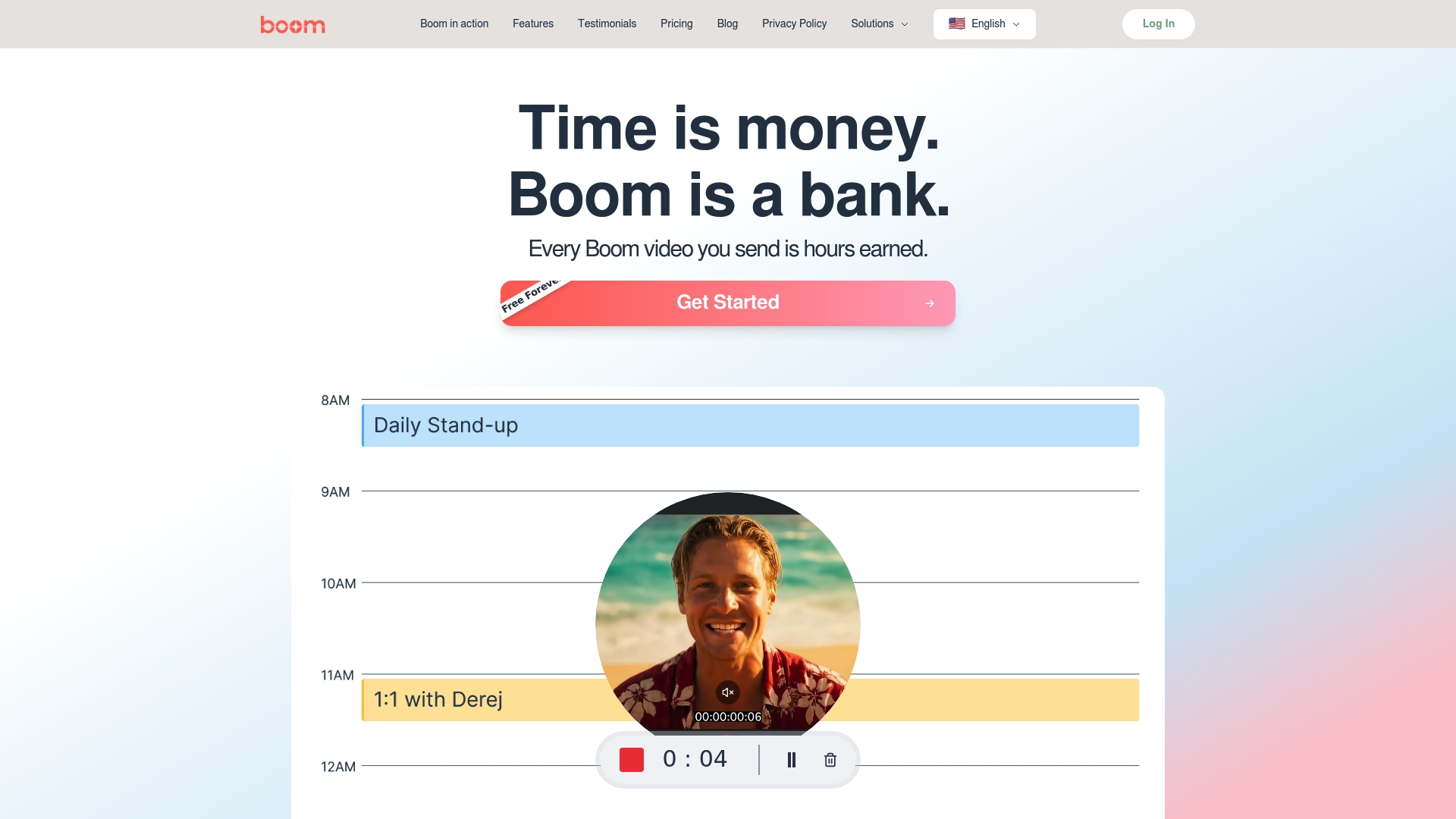
Discover how Boom’s AI-driven scripting and async video features save hours every week while producing stunning, professional content. Try Boom free forever and start earning time back one video at a time. Visit Boom Homepage and learn more about the future of work AI-Powered Async Video.
Frequently Asked Questions
How can auto-scripting enhance my video production process?
Auto-scripting allows you to quickly generate professional video scripts tailored to your specific goals, saving you time and effort. Start by inputting the video's purpose, target audience, and desired tone to create a script within minutes instead of hours.
What steps should I follow to convert voice notes into video presentations?
To convert voice notes into polished video presentations, record a clear voice memo, select an appropriate AI-driven transformation tool, and review the generated visuals to ensure they match your message. This process can streamline content creation, allowing you to produce professional-quality videos efficiently.
How do I generate multilingual voiceovers for my videos?
You can generate multilingual voiceovers by selecting a suitable AI voiceover generation platform, uploading your original video content, and choosing the target languages. Ensure you review and fine-tune the translation to maintain accuracy and cultural relevance in the final product.
What are the benefits of using AI to create custom video templates?
Using AI to create custom video templates can significantly reduce design time while ensuring brand consistency. Upload your brand style guide and let the AI generate template designs, allowing you to customize them as needed for different content types.
How can I improve asynchronous collaboration within my team using AI tools?
To improve asynchronous collaboration, select an AI platform that offers robust sharing and editing features for video production. Establish clear communication guidelines and use AI tools for real-time feedback to enhance teamwork across different time zones.
What strategies can I use to streamline feedback processes with AI-enabled comment systems?
Streamline feedback by selecting an AI collaboration platform that includes advanced commenting features. Encourage your team to provide clear, specific comments and utilize AI suggestions to enhance content quality, making the review process more effective.
Recommended
About the Author
Daniel M
Contributor.