
Master the Educational Video Scripting Process for Impact
Discover the educational video scripting process step by step. Learn how to plan, write, refine, and verify a script for standout results every time.
Aditya
Author
Master the Educational Video Scripting Process for Impact

Most American educators agree that building an effective educational video begins long before the camera starts rolling. Clear objectives and in-depth audience understanding drive results, with studies showing that well-defined goals can boost learning retention by over 60 percent. Whether you are new to video creation or want to sharpen your strategy, this guide walks you through each step essential for making impactful, engaging videos that connect with your viewers.
Table of Contents
Quick Summary
| Key Point | Explanation |
|---|---|
| 1. Define learning objectives clearly | Establish specific learning outcomes that guide your content and connect with your target audience. Use action verbs for measurable objectives. |
| 2. Structure content logically | Create a narrative flow that keeps viewers engaged and allows them to absorb key messages, breaking content into manageable segments. |
| 3. Draft an engaging video script | Transform your outline into a conversational and clear script. Start with learning objectives and ensure clarity by writing at a 7th to 9th grade level. |
| 4. Integrate effective visuals | Use purposeful visuals that enhance understanding without overwhelming viewers. Match visuals closely with voiceover cues for a cohesive experience. |
| 5. Review and refine for clarity | Conduct a thorough review of your video for content accuracy and clarity. Seek feedback from someone unfamiliar with the topic to ensure effectiveness. |
Step 1: Define learning objectives and target audience
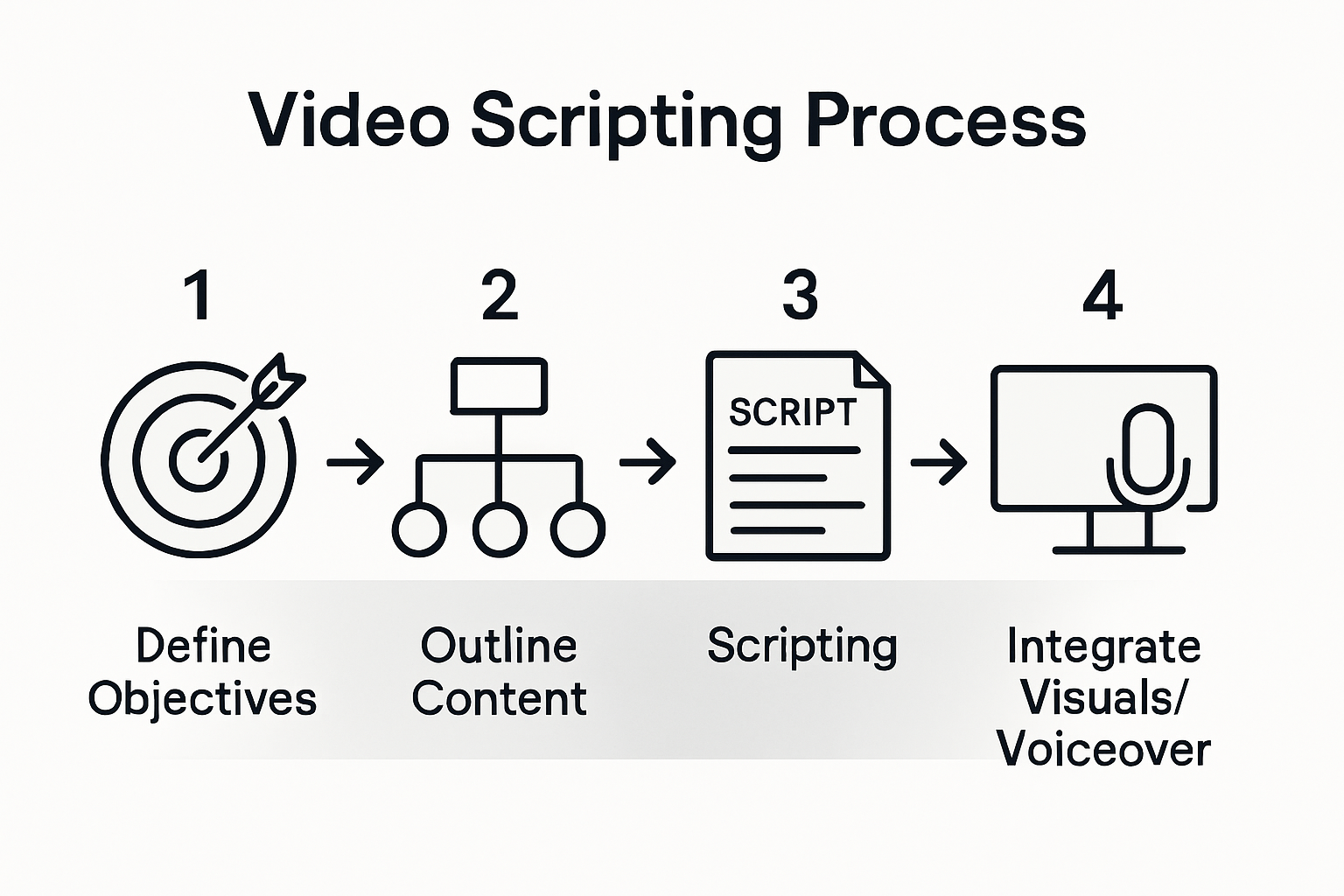
- Step 1: Define Learning Objectives And Target Audience
- Step 2: Outline Key Content And Structure Flow
- Step 3: Draft Concise And Engaging Video Script
- Step 4: Integrate Visuals And Voiceover Cues
- Step 5: Review And Refine For Clarity And Effectiveness
Before creating an educational video, you need a strategic roadmap that connects your content with the right audience. Learning objectives act as your navigation system, guiding viewers precisely where you want them to go.
Start by identifying specific learning outcomes across cognitive, affective, and psychomotor domains. What exactly do you want your viewers to know, feel, or do after watching your video? Use action verbs like "analyze," "demonstrate," or "evaluate" to craft measurable objectives. For instance, instead of saying "understand marketing," specify "create a basic marketing strategy using three key competitive analysis techniques."
Next, drill down into your target audience analysis. Who are the people most likely to benefit from your content? Consider demographics, professional backgrounds, existing knowledge levels, and specific challenges they face. A product management tutorial targeting entry level professionals will look radically different from one aimed at seasoned executives. Pro tip: Interview 3-5 potential viewers to validate your assumptions and refine your objectives.
Your learning objectives and audience definition form the critical foundation of your video scripting process. Get these right, and you've already increased your chances of creating an impactful educational video that truly resonates with your viewers.
Step 2: Outline key content and structure flow
With your learning objectives and target audience defined, you are now ready to craft a compelling content roadmap that transforms your educational video from a concept into a structured narrative. This step is about creating a logical progression that keeps viewers engaged and ensures they absorb your key messages.
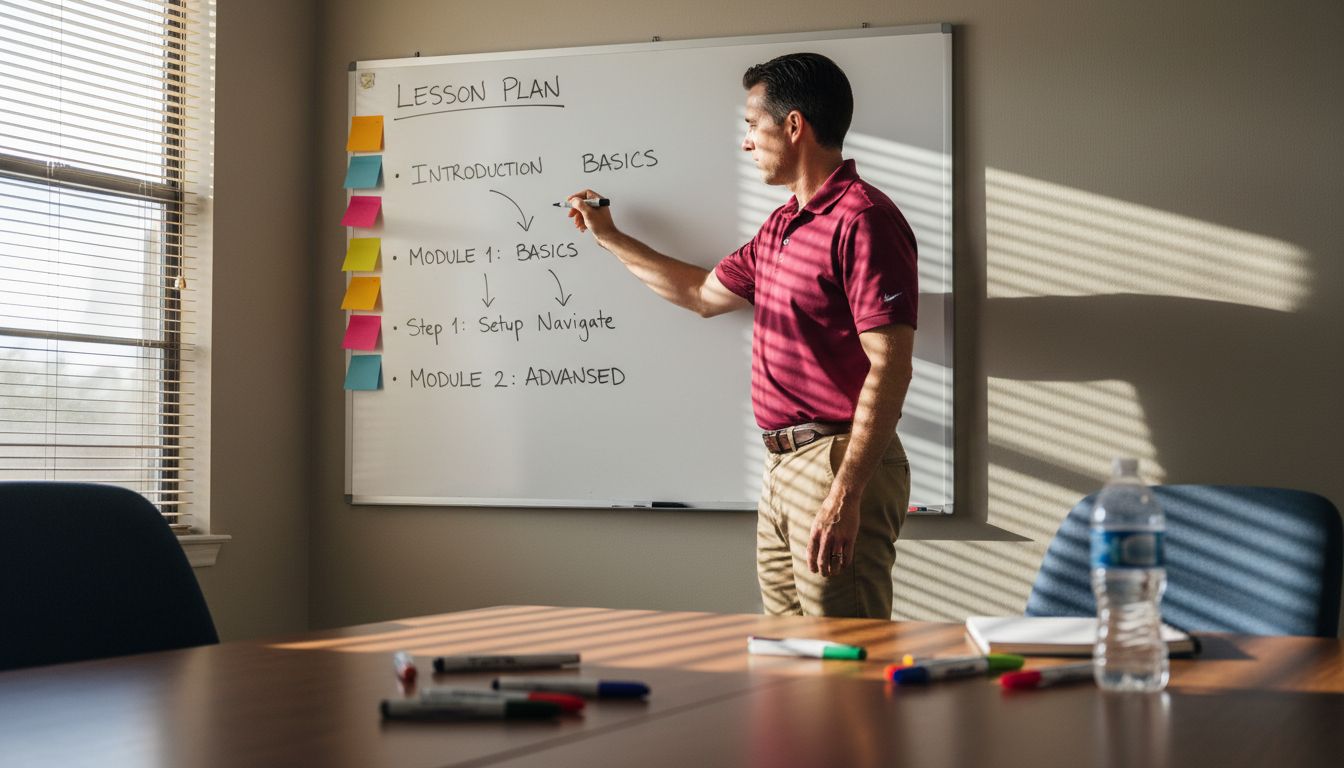
Selecting the right content requires strategic alignment with your audience's learning preferences. Start by breaking down your primary learning objectives into distinct segments. Think of your content like a journey map where each section builds upon the previous one. For example, if you are teaching project management, you might structure your flow from foundational concepts to advanced techniques progressing through introduction, core principles, practical application, and final case study.
Focus on creating a structured plan that maintains viewer attention and maximizes learning potential. A good rule of thumb is to divide your video into 3 5 minute segments with clear transitions. Include real world examples, interactive moments, and visual breaks to prevent cognitive overload. Pro tip: Storyboard your content first, allowing you to visualize the flow and identify potential gaps or redundancies before recording.
Your content structure is the skeleton of your educational video. Design it thoughtfully, and you will create an immersive learning experience that guides viewers smoothly from introduction to mastery.
Step 3: Draft concise and engaging video script
With your content structure mapped out, it is time to transform your outline into a compelling narrative that captivates your audience from the first moment. Your script is the blueprint that will guide your entire video production process.
Start by incorporating your learning objective within the first 10 seconds of your script. Use action verbs from Bloom's Taxonomy like "analyze," "create," or "evaluate" to clearly communicate what viewers will gain. For instance, instead of saying "We will talk about marketing," say "By the end of this video, you will create a targeted marketing strategy using three key competitive analysis techniques."
Verify the credibility of your content by ensuring accuracy and relevance to your specific audience. Write as if you are having a conversation with a colleague, using a conversational tone that breaks down complex ideas into digestible chunks. Aim for clarity over complexity. A good rule of thumb is to write at a 7th to 9th grade reading level, even when discussing advanced topics. Pro tip: Read your script out loud. If it sounds awkward or too formal when spoken, revise until it feels natural.
Your script is the heart of your educational video. Craft it with precision, passion, and a clear focus on delivering value to your viewers.
Step 4: Integrate visuals and voiceover cues
With your script drafted, you will now weave together the visual and auditory elements that transform your content from a plain narrative into an engaging learning experience. This step is about creating a seamless marriage between what viewers hear and what they see.
Understanding visual complexity is critical to maintaining viewer engagement. Research shows that too many textual elements can increase viewer confusion and lead to more frequent pausing or dropping out. Aim for clean, purposeful visuals that complement your voiceover without overwhelming the viewer. Use graphics, charts, or animations that directly illustrate your key points. Think of your visuals as visual punctuation that emphasizes and clarifies your spoken words.
Develop a strategic approach to visual summarization that helps viewers navigate your content. Consider creating visual markers or key image snapshots that serve as mental signposts throughout your video. Pro tip: For every major concept, include a simple graphic or icon that viewers can quickly associate with that specific learning point. This technique helps viewers process and retain information more effectively, especially during complex explanations. Match your voiceover timing precisely with visual transitions to create a fluid, intuitive learning experience.
Your visuals and voiceover are the dynamic duo that will bring your educational video to life. Choreograph them carefully, and you will create a memorable learning journey.
Step 5: Review and refine for clarity and effectiveness
You are now entering the critical refinement stage where your educational video will transform from good to exceptional. This step is about meticulously polishing your content to ensure maximum learning impact and viewer engagement.
Implement a hierarchical review approach that systematically evaluates your video's content and presentation. Start by examining your video from multiple perspectives like content accuracy, visual clarity, narrative flow, and learning objectives. Listen critically to your voiceover for natural speech patterns and clarity. Watch your visual transitions to ensure they align perfectly with your spoken content. Pay special attention to complex explanations and break them down into digestible segments that viewers can easily follow.
Resolve potential visual linguistic ambiguities by carefully linking entities and actions within your instructional content. Pro tip: Have someone unfamiliar with your subject matter review the video. If they can understand the core concepts, you have successfully created an effective educational resource. Look for moments where your visuals might introduce confusion or where your language could be more precise. Trim unnecessary explanations and replace technical jargon with clear, accessible language that speaks directly to your target audience.
Refinement is an art of subtraction and precision. Your goal is to create a learning experience so smooth and intuitive that viewers barely notice the incredible work behind its creation.
Unlock Your Educational Video Potential with AI-Powered Tools
Crafting clear learning objectives and creating engaging educational video scripts can be challenging and time consuming. The article "Master the Educational Video Scripting Process for Impact" highlights how defining precise outcomes and structuring content effectively are key steps that often require extensive effort. If you want to save hours on scripting, voiceovers, and editing without sacrificing quality or clarity, it is time to let technology do the heavy lifting for you.
Boom is designed specifically to solve these pain points with features like auto-scripting that instantly generates concise, goal-based scripts using AI. Combine that with voice-to-video recording and smart visual templates to create polished educational videos that match your learning objectives perfectly. Say goodbye to meeting overload and manual editing and start earning your time back on each video you produce.
Ready to transform your educational content creation? Explore how Boom’s async video platform can help you build impactful videos faster and smarter. Visit Boom’s landing page to get started with AI-powered, on-brand video creation today. Discover more about defining your target audience and scripting effectively with resources like setting clear learning objectives and choosing the right content. Don’t wait, make every video count with Boom.
Frequently Asked Questions
What are the key components of the educational video scripting process?
The key components include defining learning objectives, outlining content flow, drafting a script, integrating visuals and voiceovers, and refining the final video. Start by clearly stating what you want viewers to learn, then structure the content logically to maintain engagement.
How can I effectively define my learning objectives?
To define your learning objectives, use specific action verbs and focus on measurable outcomes. For instance, instead of saying your viewers will "understand marketing," specify they will "create a targeted marketing strategy using three key competitive analysis techniques."
What steps should I take to outline my video's content structure?
Break down your primary learning objectives into clear segments and organize them in a logical flow. Aim to create an engaging journey for viewers by using a structure that transitions smoothly from foundational concepts to advanced techniques.
How do I ensure my script remains concise and engaging?
Craft your script to be conversational and straightforward, aiming for a reading level that allows complex ideas to be easily understood. Read your script aloud to check for natural flow and revise any sections that feel awkward or overly formal.
What role do visuals play in my educational video?
Visuals enhance understanding by complementing your spoken content and preventing cognitive overload. For each major concept, include simple graphics or icons that reinforce key points and ensure that your visuals are timed precisely with your voiceover for clarity.
How should I approach the review and refinement of my video?
Implement a systematic review process that assesses content accuracy, visual clarity, and alignment with your learning objectives. Seek feedback from someone unfamiliar with your topic to ensure clarity; aim to make your content so clear that it feels intuitive for viewers.
Recommended
About the Author
Aditya
Software Engineer.