
How to Automate Video Scripting for Stunning Results
Learn how to automate video scripting step by step and produce brand-ready, AI-powered scripts quickly for pitches, demos, or lessons with ease.
Aditya
Author
How to Automate Video Scripting for Stunning Results

Most American creators are surprised to learn that over 80 percent of viewers lose interest in the first minute of a poorly structured video. Crafting a script that truly connects goes far beyond flashy visuals or catchy soundtracks. Clear goals and messaging are what set powerful videos apart from the competition. Here you will discover the concrete steps professionals use to define purpose, guide narrative flow, and keep every American audience engaged from the first frame to the last.
Table of Contents
Quick Summary
| Key Point | Explanation |
|---|---|
| 1. Define Clear Video Goals | Establish specific objectives for your video. Understand what you want the audience to learn and do after viewing. |
| 2. Choose the Right AI Tool | Select an AI scripting tool that meets your communication needs, allowing for customization and easy navigation. |
| 3. Provide Detailed Script Inputs | Offer precise topics and context to the AI, enhancing the script's relevance and emotional tone. |
| 4. Refine the Automated Script | Review and modify the AI-generated script, ensuring it conveys your message effectively and flows naturally. |
| 5. Conduct Thorough Script Testing | Preview your script from the audience's perspective, making adjustments to ensure clarity and engagement. |
Step 1: Define your video goals and messaging
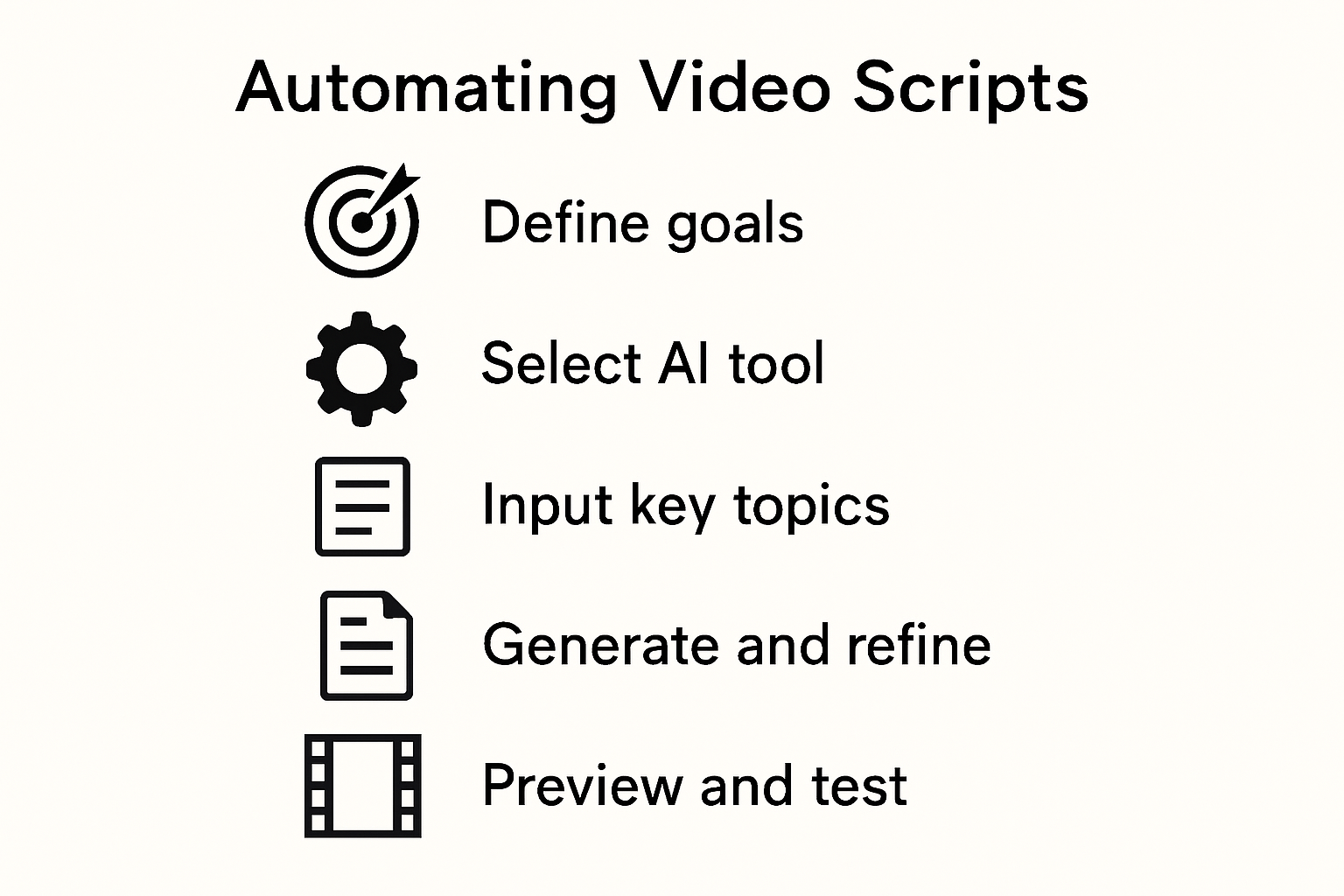
- Step 1: Define Your Video Goals And Messaging
- Step 2: Set Up Your AI Scripting Tool
- Step 3: Input Key Topics And Context
- Step 4: Generate And Refine Your Automated Script
- Step 5: Preview And Test Your Video Script
Successful video scripting starts with crystal clear objectives. You need to map out exactly what you want your audience to understand, feel, and do after watching your video.
Begin by identifying your primary target audience and their specific needs. Research from communication experts recommends setting SMART objectives that are specific, measurable, achievable, relevant, and time bound. Ask yourself key questions: Who are you speaking to? What single message do you want them to remember? What action should they take after watching?
Unpack your core messaging by outlining 3 to 5 key talking points that support your central goal. Video communication strategies emphasize creating a narrative arc that guides viewers through your content logically. Focus on clarity and simplicity. Your script should feel like a natural conversation, not a complex lecture.
Pro tip: Always draft your script with your audience's perspective in mind. Imagine you are solving a problem or answering a question they desperately want resolved. This approach transforms your video from mere information delivery to a compelling narrative that truly connects.
Step 2: Set up your AI scripting tool
Now that you have defined your video goals, it is time to select and configure the right AI scripting tool to transform your vision into reality. The key is finding a platform that matches your specific communication needs and workflow.
Advanced video scripting research reveals that modern AI tools offer incredible flexibility. Look for platforms that allow you to control script generation by inputting specific genres, themes, or starting words. Some sophisticated systems can even help you generate complete scripts with dialogue and scene descriptions tailored to your exact requirements.
Accessible video editing technologies now provide tools that support diverse user needs. When choosing your AI scripting tool, consider features like text based editing capabilities, visual content embedding, and the ability to navigate and modify scripts efficiently. Prioritize platforms that offer intuitive interfaces and robust customization options.
Pro tip: Before committing to a tool, take advantage of free trials or demo versions. Test the AI scripting tool with a sample project to ensure it truly understands your communication style and can generate scripts that sound authentic and engaging.
Step 3: Input key topics and context
With your AI scripting tool selected, the next critical step is to provide precise input that will guide your script generation. Think of this as giving your AI a detailed roadmap for creating exactly the content you need.
Advanced scriptwriting research demonstrates how modern AI systems can transform basic inputs into rich narrative experiences. When inputting your key topics, be extraordinarily specific about your desired outcomes. Include essential details like the emotional tone you want, the primary message you aim to communicate, and any specific scenes or elements you envision. Some cutting-edge systems can even generate expressive scenes with nuanced audiovisual elements based on your precise context.
Software automation studies highlight the importance of iterative refinement when working with AI scripting tools. Start by providing a comprehensive overview of your topic, then be prepared to review and adjust the initial script output. Your first draft is rarely perfect experimental cycles of input and feedback are crucial for developing a script that truly captures your vision.

Pro tip: Create a detailed brief that includes your target audience, key talking points, desired emotional arc, and specific examples or anecdotes you want incorporated. The more context you provide, the more accurately the AI can tailor the script to your exact needs.
Step 4: Generate and refine your automated script
With your context carefully prepared, you are now ready to leverage AI technology to transform your ideas into a compelling video script. This is where the magic of automated scripting truly comes to life.
Advanced script generation research reveals a sophisticated approach to script creation. Modern AI systems use a hierarchical structure that first generates an overall plot, then develops detailed dialogue and visual presentation. Think of this process like building a house start with the foundation, then construct the framework, and finally add the intricate details that bring everything to life.
Interactive audiovisual generation technologies offer unprecedented flexibility in script refinement. After your initial AI generated draft, you will want to carefully review and adjust key elements. This might include tweaking dialogue nuances, modifying character emotional expressions, or fine tuning the overall narrative flow. The goal is not just to accept the first draft, but to collaborate with the AI as a creative partner.
Pro tip: Develop a systematic workflow for reviewing your automated script. Read it aloud, check for natural language flow, ensure your core message comes through clearly, and make incremental adjustments. Remember that AI is a powerful tool, but your human creativity and insight are what will truly elevate the final product.
Step 5: Preview and test your video script
With your automated script generated, the next crucial phase is comprehensive review and validation. This step transforms your raw script into a polished narrative that truly resonates with your intended audience.
Advanced text based video editing technologies now provide sophisticated tools for script preview and assessment. These platforms allow you to embed visual content, evaluate potential errors, and simulate speech patterns, giving you unprecedented insight into how your script will actually perform. Approach this preview stage as a critical quality control checkpoint where you can identify and resolve potential communication gaps.
Interactive audiovisual generation research suggests taking an iterative approach to script testing. Generate preview scenes with emotional speech characteristics, analyze the animated representation, and make incremental refinements. Pay close attention to dialogue flow, emotional tone, and whether the visual representation matches your original communication objectives.
Pro tip: When creating engaging video content, always preview your script from your audience's perspective. Read it aloud, time the segments, and imagine how a viewer might perceive each moment. Your goal is a script that feels natural, compelling, and laser focused on delivering your core message.
Transform Your Video Scripting with Boom’s AI-Powered Workflow
The challenge of automating video scripting is clear from the article’s step-by-step approach — from defining clear goals and messaging to generating and refining scripts. Many creators and teams struggle with crafting concise, goal-based scripts that sound authentic and engage viewers. You want more than just raw text. You need an intuitive platform that turns your key topics into polished, brand-ready videos without endless revisions or scheduling headaches.
Boom is designed exactly for these needs. With features like AI auto-scripting that instantly generate concise scripts tailored to your message, voice-to-video recording that brings your script to life naturally, and AI voiceover with multilingual dubbing for global reach, Boom is the tool that bridges automation with creativity. You won’t just save time — you will earn it back by replacing tedious meetings and manual edits with seamless async video production. Experience how Boom’s async-first design and instant branding keep your videos on message and professional with zero hassle.
Ready to automate your video scripting and see stunning results fast? Explore the power of Boom’s AI scripting and async video tools today at Boom. Learn how to create, perfect, and share videos that connect clearly by visiting the Boom Landing Page. Dive deeper into scripting best practices and async workflows in our blog at Boom Blog. Start earning your time back now with Boom.
Frequently Asked Questions
How can I define clear video goals before automating my script?
Start by identifying your primary target audience and their needs. Use SMART objectives to clarify what you want viewers to understand and the actions you want them to take after watching the video.
What should I consider when choosing an AI scripting tool for my video?
Look for a platform that suits your specific communication needs and offers features like text-based editing and visual content embedding. Test various tools through free trials to ensure they align with your workflow and generate authentic scripts.
How do I provide effective input for my AI scripting tool?
Create a detailed brief including your target audience, key talking points, and the emotional tone you wish to convey. The more specific you are, the better the AI will tailor the script to meet your expectations.
What steps should I follow to refine my automated video script?
After generating your initial script, review and adjust key elements such as dialogue and narrative flow. Develop a systematic workflow to make incremental adjustments, ensuring that your core message is clear and engaging.
How can I ensure my automated script resonates with my audience?
Preview the script from your audience's perspective, reading it aloud to evaluate flow and clarity. Make adjustments based on what feels natural and compelling, focusing on delivering your central message effectively.
What actions should I take during the script testing phase?
Generate preview scenes to simulate speech patterns and visual representation. Use this stage to identify communication gaps and make necessary tweaks, ensuring that the final product aligns with your original objectives.
Recommended
About the Author
Aditya
Software Engineer.