
Reporting Video Step by Step: Create, Share, Verify with Boom
Learn reporting video step by step using Boom’s AI-powered tools. Follow clear, actionable steps to prepare, record, enhance, share, and verify your video report.
Devdeep
Author
Reporting Video Step by Step: Create, Share, Verify with Boom

Most american professionals find that creating clear video reports can save significant time and reduce misunderstandings. With remote work and digital collaboration on the rise, efficient reporting tools are more important than ever. This step by step guide shows how to prepare, record, and share high quality reporting videos while using AI features to enhance communication and keep your content secure.
Table of Contents
Quick Summary
| Insight | Explanation |
|---|---|
| 1. Prepare clear reporting content | Outline key points and simplify information for your audience to create effective video reports. |
| 2. Use Boom for recording | Record high-quality audio in a quiet environment, and preview your recording for clarity before finalizing. |
| 3. Implement AI for scripting | Utilize AI tools to streamline script creation and maintain visual branding consistency in your videos. |
| 4. Share videos securely | Control privacy settings and manage sharing permissions to protect your content and ensure it reaches intended recipients. |
| 5. Gather viewer feedback | Analyze viewer engagement metrics and feedback to improve future video communication strategies. |
Step 1: Prepare Your Reporting Content
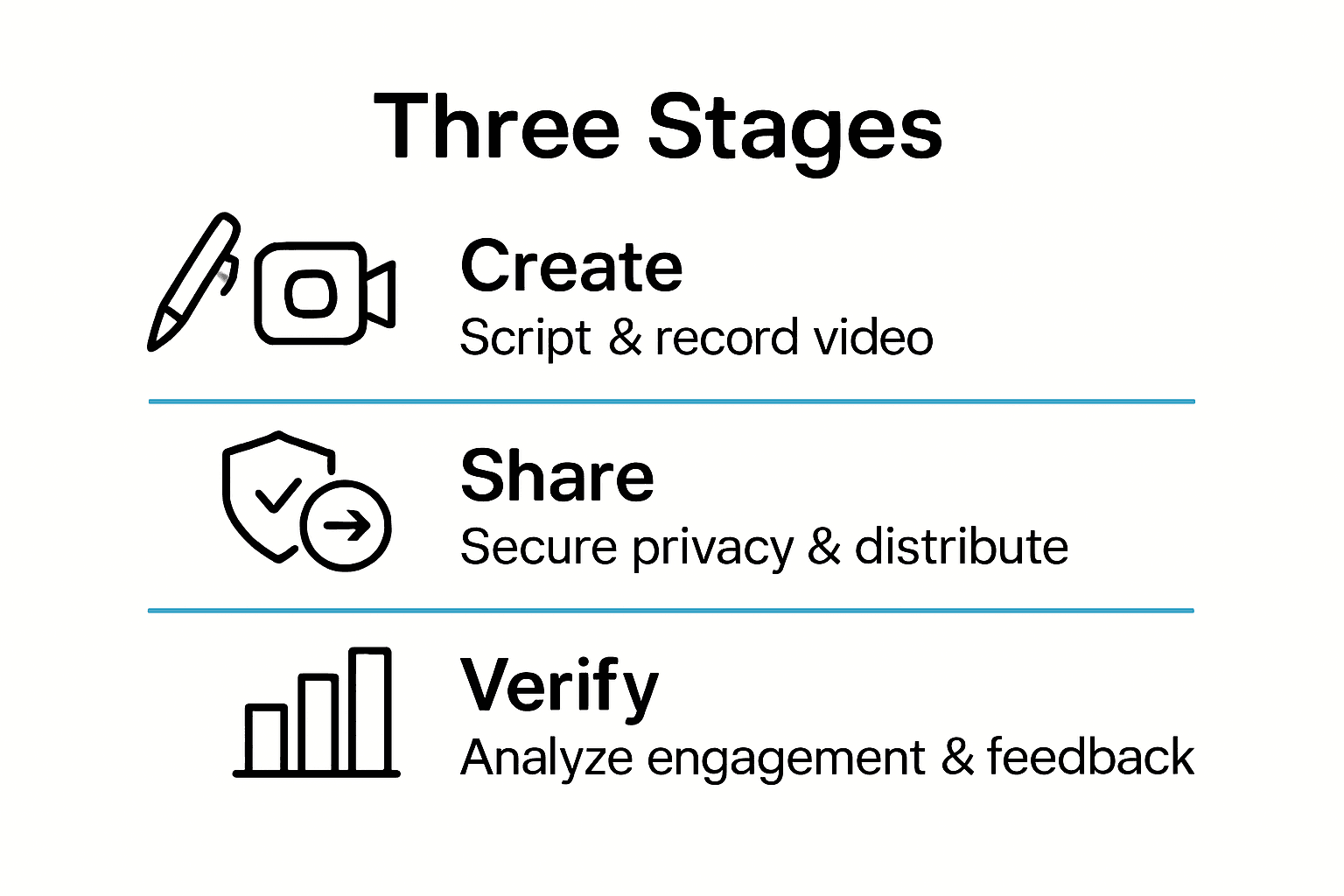
- Step 1: Prepare Your Reporting Content
- Step 2: Record A Voice-To-Video With Boom
- Step 3: Enhance With Ai Scripting And Branding
- Step 4: Share Your Reporting Video Securely
- Step 5: Verify Delivery And Gather Feedback
Preparing your reporting content sets the foundation for creating a clear, effective video that communicates your message precisely. According to HSE, the initial planning phase is crucial for developing accessible and impactful digital content.
To start your preparation, outline the key points you want to convey in your report. Break down complex information into digestible segments that flow logically. arXiv research suggests creating a structured framework that guides your narrative from preproduction through final presentation. Consider your target audience and tailor your content to their specific needs and understanding level.
As you develop your reporting content, focus on clarity and concision. Draft a preliminary script that highlights your main objectives, using straightforward language that avoids unnecessary jargon. Pro tip: Read your script aloud to ensure it sounds natural and conversational. This technique helps identify awkward phrasing and helps you sound more engaging when recording your final video report. Your next step will involve selecting the right recording tools and environment to bring your carefully prepared content to life.
Step 2: Record a Voice-to-Video with Boom
Recording a voice-to-video with Boom transforms your spoken content into a polished professional presentation. Boom Help Center provides insights into capturing high-quality audio recordings that effectively communicate your message.
To begin your recording, open the Boom platform and locate the voice-to-video feature. Ensure you are in a quiet environment with minimal background noise to guarantee clear audio transmission. Speak naturally and confidently while maintaining a consistent volume and pace. Boom offers intuitive controls that allow you to record up to 30 seconds of audio directly within the platform, giving you flexibility in crafting your narrative.
Pro tip: Before finalizing your recording, preview the audio to check sound quality and clarity. If something sounds off or needs adjustment, Boom allows you to re record seamlessly. Remember that your voice is the primary vehicle for conveying information, so take time to articulate your points precisely.

Step 3: Enhance with AI Scripting and Branding
Transforming your raw video content into a polished professional presentation requires strategic AI scripting and branding. Master an Easy Video Scripting Workflow provides innovative approaches to refining your video communication.
Utilize Boom's AI scripting tools to generate concise and targeted content that captures your core message. The platform offers intelligent script generation that helps structure your narrative, ensuring your video remains focused and engaging. When applying branding, leverage the platform's visual templates to maintain consistency with your organizational identity. These AI-enhanced templates allow you to quickly add logos, color schemes, and design elements that make your video look professional and on brand.
Pro tip: Experiment with different AI script variations and visual styles to find the most compelling presentation of your content. Pay attention to how the AI suggestions align with your original intent and make subtle adjustments to maintain your authentic voice. Your next step involves reviewing the enhanced video to ensure it meets your communication objectives and represents your professional standards.
Step 4: Share Your Reporting Video Securely
Sharing your reporting video requires careful consideration of digital accessibility and security protocols. HSE guidelines emphasize the critical importance of implementing robust sharing strategies that protect your content and maintain professional standards.
Boom provides multiple secure sharing options to ensure your video reaches only intended recipients. Select the appropriate privacy settings that align with your communication needs. You can generate a unique sharing link with controlled access permissions or invite specific team members directly through the platform. These granular controls allow you to manage who views your content and for how long. Consider setting an expiration time for sensitive reporting videos to add an extra layer of security.
Pro tip: Always review your video's visibility settings before sharing and double check the recipient list to prevent unintended distribution. Boom offers preview options that let you verify the exact content being shared. Your next step involves verifying that your video has been received and understood by the intended audience.
Step 5: Verify Delivery and Gather Feedback
Tracking the impact and effectiveness of your reporting video requires strategic analysis of viewer engagement and content reception. arXiv research offers innovative approaches to understanding how your video content is consumed and interpreted by your audience.
Boom provides comprehensive tools to verify video delivery and collect meaningful feedback. Utilize the platform's built-in analytics to track key metrics such as view duration, engagement rates, and viewer interactions. The video summarization framework suggests examining playback patterns to gain insights into how effectively your message is being communicated. Look for features that allow recipients to provide direct comments or reactions within the video platform, enabling real-time feedback collection.
Pro tip: Pay close attention to both quantitative metrics and qualitative feedback.
While view counts and watch times provide numerical insights, the specific comments and reactions from your audience offer deeper understanding of your video's impact. This holistic approach ensures you can continuously improve your communication strategy. Your final step involves reflecting on the feedback and planning future video reporting improvements.
Earn Back Your Time by Creating, Sharing, and Verifying Reports with Boom
If you find yourself struggling with the complexity of preparing clear reporting content, battling time-consuming live meetings, or unsure about how to securely share and track your video reports Boom offers a powerful solution tailored to these exact challenges. This article highlights the critical steps from creating concise video reports to verifying delivery and gathering feedback — all pain points that drain productivity and cause frustration in busy workflows.
Boom transforms your reporting videos with features built exactly for your needs including voice-to-video recording that captures your message naturally and professionally AI scripting to help you clarify your points and on-brand templates that eliminate tedious editing. Plus enjoy secure sharing controls and detailed engagement analytics so you never miss if your message landed. Embrace async work and reclaim hours with Boom now.
Ready to streamline your reporting process and save countless hours without losing clarity or impact Visit Boom's landing page to get started today.
Create stunning reports that speak directly to your audience anytime anywhere without scheduling headaches Discover how Boom’s AI-powered tools can revolutionize your communication and earn back your time Visit Boom and start your free journey today. Learn more about voice-to-video recording and AI scripting in reporting videos here: Recording Sound and Easy Video Scripting Workflow.
Frequently Asked Questions
How do I prepare my reporting content for a video?
To prepare your reporting content effectively, outline your key points and break down complex information into logical segments. Start by drafting a preliminary script using clear language, ensuring it flows naturally when read aloud.
What steps should I take to record a voice-to-video using Boom?
Begin by accessing the voice-to-video feature on the Boom platform in a quiet environment. Speak confidently at a consistent pace, and remember to preview your audio before finalizing the recording to ensure clarity and quality.
How can I enhance my video content with AI scripting and branding?
Utilize the AI scripting tools on Boom to generate concise content that aligns with your core message. Apply the platform's visual templates to add your branding elements, like logos and color schemes, ensuring your video is polished and on-brand.
What are the best practices for securely sharing my reporting video?
Choose the appropriate privacy settings on Boom to control who can access your video. Generate a unique sharing link or invite recipients directly, and consider setting an expiration time for sensitive content to enhance security.
How do I verify the delivery and gather feedback on my reporting video?
Use Boom's built-in analytics to track key metrics such as view duration and engagement rates. Pay attention to both quantitative data and qualitative feedback from viewers to gain insight into your video’s effectiveness and identify areas for improvement.
What should I do with the feedback received on my reporting video?
Analyze the feedback carefully to understand how your message was received and where you can improve. Use this information to make adjustments for future reporting videos, aiming for continuous enhancement of your communication strategy.
Recommended
About the Author
Devdeep
Senior Software Engineer.